
How do I set up ES and ED devices in a network?
There are many different ways you can set up your ES and ED devices in your network.
Within the Boost.LAN and Boost.IO software you can change the IP address of your device and switch between DHCP (your device will automatically be given an IP address if connected to a DHCP server) and static (will stay the IP address that you set it to).
Below are some simple examples of ES and ED devices in different networks:
| Direct Connection to PC | 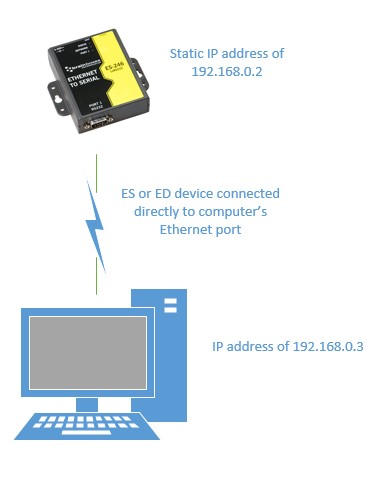 |
|---|---|
| Connected through a router with internet access | 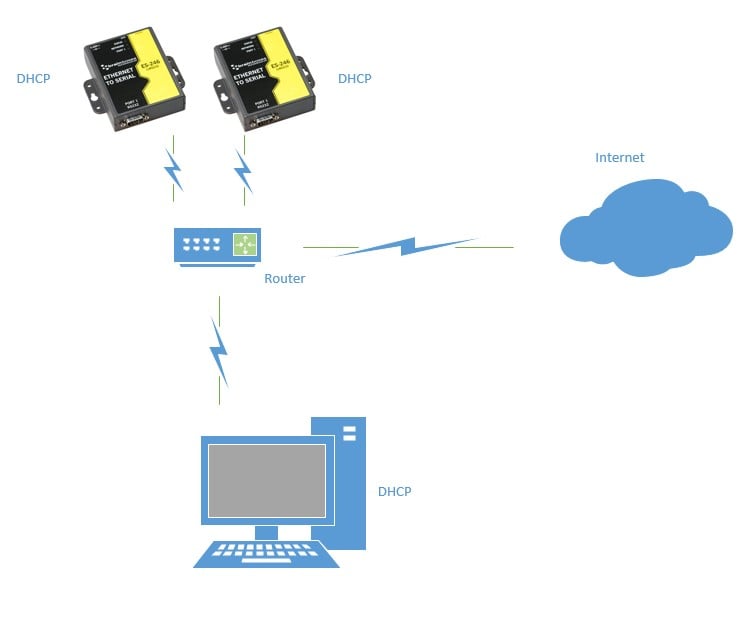 |
| Connected to an unmanaged switch over private network | 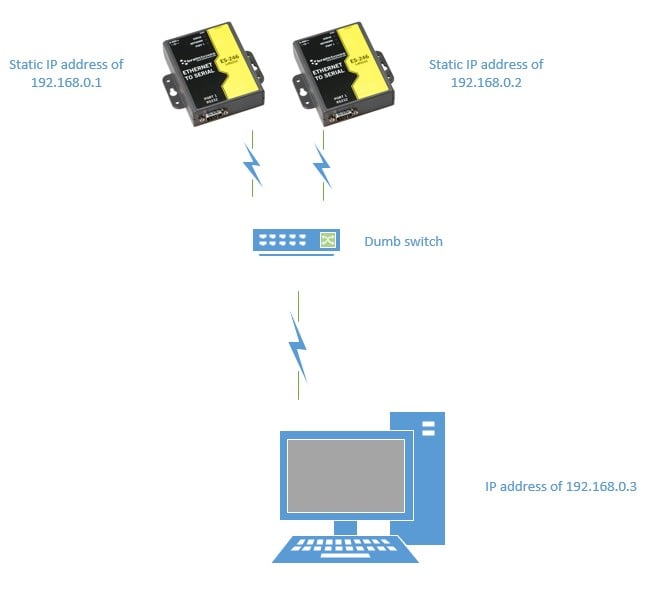 |