BB-Eco 1.1.0
October 2026. The first update since 1.0.0 arrives through the app's own update check: Settings > About, or Restart to update when BB-Eco tells you one is ready.
New
- Help menu. The
?at the foot of the sidebar opens Documentation, the command-line tool, these release notes, the welcome tour, the getting-started checklist and About. - Diagnostics, asked once. The first time you open a device's Firmware tab, BB-Eco asks whether it may send anonymous firmware-update reports to Brainboxes, with a See what is sent preview. Answer once and it never asks again, whichever way you answer; change your mind at any time in Settings. See Diagnostics and privacy.
- Unmanaged switches in the product catalogue. The Add Device page now lists every Brainboxes unmanaged Ethernet switch, with a photo and a link to its specifications. These switches have no network interface for BB-Eco to talk to; they are listed so the range is easy to find from the same place as the ED, ES and BB devices.
- The device web page follows the app's zoom. Zooming BB-Eco with Ctrl and + or - (Cmd on macOS) now enlarges the device's own configuration page on the Web Config tab with it.
Changed
- Window title bar. BB-Eco draws its own dark title bar. On Windows the minimise, maximise and close buttons sit on it, and Snap Layouts still work from the maximise button. Scrollbars are dark to match.
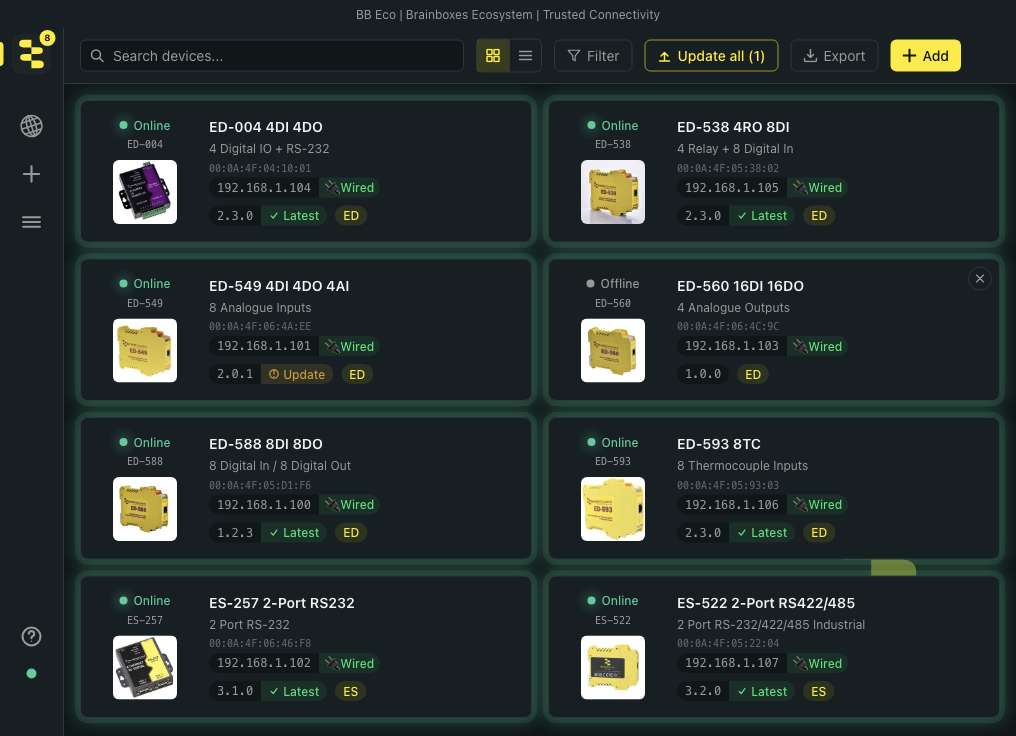
- Sidebar. The icons are larger and the Brainboxes mark lines up with the search box.
- Beta channel: one agreement. Switching from stable to beta in Settings > About asks you to agree to the beta channel's diagnostics once. The beta installer that follows no longer repeats the same notice.
- Reduced motion. When Windows has Animation effects off, which includes most Remote Desktop and virtual machine sessions, every animation in BB-Eco now shows the same thing at the same time as the standard version, without movement. A device arriving on the dashboard, the status pulse on a returning device and the welcome tour all show correctly there.
- Dashboard. Returning to the dashboard from another view no longer restarts discovery, so the device cards stay as they were instead of clearing and filling again.
Fixed
- Web Config tab. The device's web page covered the tab strip, and on some window sizes sat partly off the panel. It now fills exactly the space under the tabs, and stays there when the window or the page zoom changes.
- Reboot, Locate and Docs tooltips were hidden behind the device's web page while the Web Config tab was open. They now open beside the buttons.
- Welcome tour under reduced motion showed the reply dots beside the Brainboxes mark from the first frame and left a stray circle behind the search rings.
Getting the update
BB-Eco checks for updates on the channel you have chosen and tells you when one is ready. Open Settings > About to check now, then Restart to update. The command-line tool is updated separately; see Install BB-Eco.
