
Recover a stuck ED or ES device with BB-Eco
This guide recovers a Brainboxes ED (Ethernet Remote I/O) or ES (Ethernet-to-Serial) device that's stuck in its bootloader after an interrupted firmware upgrade. Stuck devices broadcast BOOTP requests indefinitely — ED roughly every 15 seconds, ES roughly every 2.5 — which makes them recoverable over the network, without physical access.
BB-Eco finds stuck devices for you
You usually don't have to work out that recovery is needed. On Windows and macOS, BB-Eco listens for bootloader broadcasts from the moment the app opens; on Linux it listens whenever its transfer process is running (during an upgrade or recovery session). Either way it hears any stuck Brainboxes device on the LAN — including devices that were bricked by another machine or an older tool. When it hears one:
- A toast notification names the device ("ED-560 'Line-4' appears stuck in a firmware update") and links to recovery.
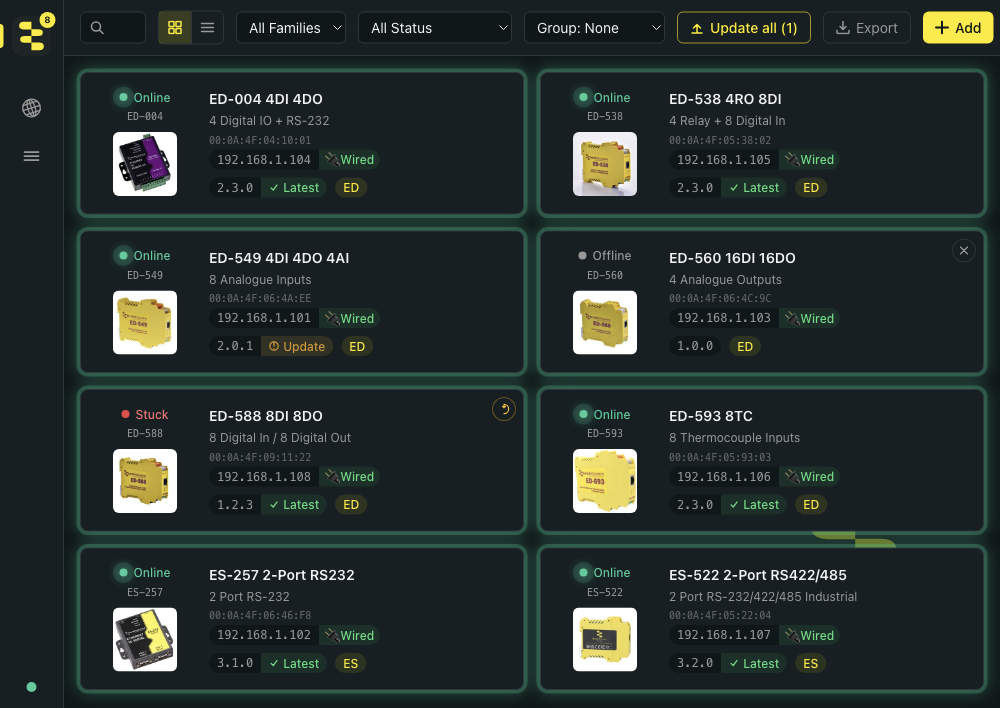
- The device's dashboard card shows an amber Stuck badge and a recovery affordance in the corner.
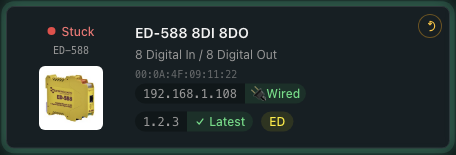
Up close, the badge looks like this:
If an upgrade failed while the app wasn't running, BB-Eco also infers a stuck device from its own upgrade journal — the badge appears even before the broadcast is heard.
Before you start
- The stuck device is powered on and connected to the same Layer 2 LAN as your computer. (BOOTP broadcasts don't cross routers — a desk-side switch is fine, a routed network is not.)
- BB-Eco is installed (Install BB-Eco).
- On Linux, you have sudo access — recovery binds UDP ports 67 and 69, which are privileged there. Windows and macOS need no prompt.
A stuck device can't report its hardware details the way a healthy one can, so choose firmware for the exact model and hardware variant. BB-Eco pre-selects a matching cached image whenever the device's broadcast identifies it — prefer that suggestion over a manual pick, and double-check the model on the device's casing before overriding it.
Recover from the desktop app
- Click the toast (or the stuck device's card). You land on the device's Firmware tab, where a recovery banner has taken the place of the normal upgrade controls — a stuck device has no web server, so the usual check-for-updates flow doesn't apply.
- The banner pre-selects firmware for you: the exact file from the failed upgrade when it's known, otherwise the latest cached image matching the model and variant the device announced. A manual
.efwpicker is the override. - Click Recover. On Linux, if the elevated transfer process isn't running yet, you'll get one password prompt first.
- Watch the same stage-by-stage progress bar as a normal upgrade:
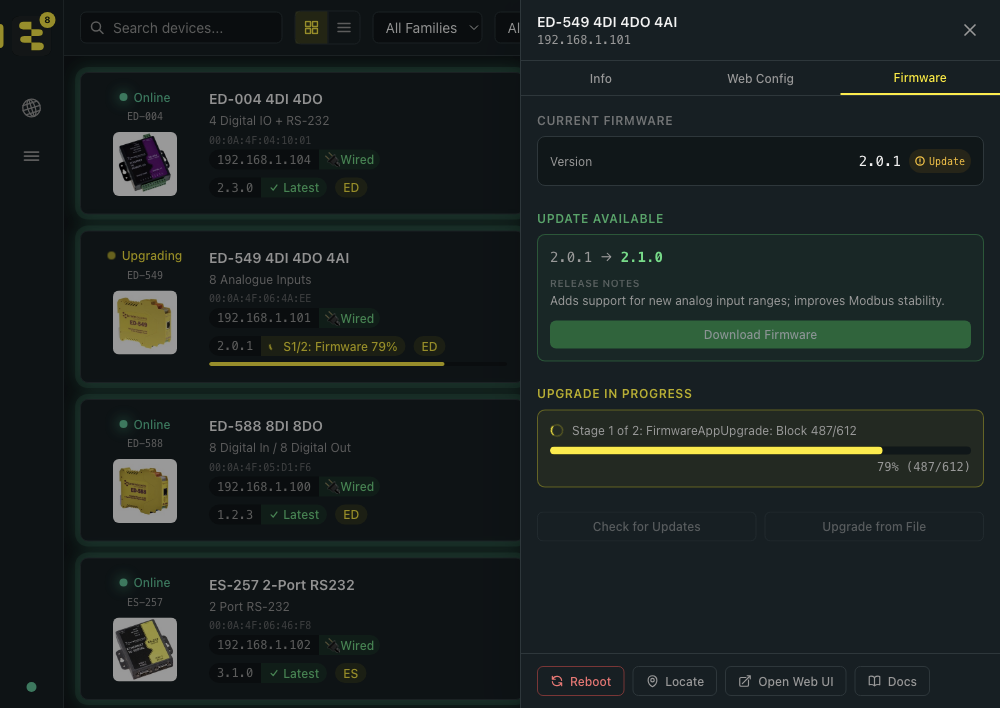
Recovery typically completes in 2–4 minutes. The device reboots into its real network configuration, re-announces itself, and its badge flips back to Online.
For a device BB-Eco has never seen (no card to click), open Settings → General → Advanced → Open Device Recovery… — the recovery panel lists every broadcasting device and recovers unknown ones inline.
More than one stuck device?
Recover them one at a time — the panel lists all of them, and each remaining device re-announces itself within seconds of the previous recovery finishing. Repeat until the list is empty.
Recover from the CLI
Ask a stuck device what it wants first — the probe listens and reports, sending nothing (on Linux, prefix both commands with sudo):
bb-eco upgrade --recover --probe
The probe reports the device's MAC and the firmware identity its bootloader announces (model and variant). Then re-flash it:
bb-eco upgrade --recover ED-560T_V8.33.efw
The CLI binds BOOTP/TFTP, waits for the device's next broadcast, and runs the transfer through the same stages as a normal upgrade. Run --recover without a file to pick from the local firmware cache. See the bb-eco upgrade reference for every option.
The transfer deliberately can't be cancelled mid-flight — an interrupted flash is exactly how devices get stuck. Let it run to completion, even if it appears slow.
If recovery fails
| Symptom | Likely cause | Next step |
|---|---|---|
| BB-Eco never hears the device | Cross-subnet, wireless interface, or VPN active | Move to the same wired LAN segment, disable the VPN, retry |
| Recovery stalls before the transfer starts | Firewall blocking UDP 67/69 | Allow BB-Eco through the firewall, retry |
| Transfer stalls midway | Packet loss on the network | Try a different switch port or a direct cable |
| Device gets stuck again right after recovery | Wrong firmware image, or the previous flash left mixed firmware stages inside the device | Confirm model and variant; then simply recover again — each pass restores the stages the device asks for until it's consistent |
A device that repeatedly returns to its bootloader with the correct image may have a hardware fault — contact support.
How it works
A firmware upgrade first puts the device into its bootloader, then re-flashes it over BOOTP/TFTP. If the transfer is interrupted (power loss, network drop, killed process), the device stays in the bootloader: no IP address, no firmware application, invisible to normal discovery. But the bootloader keeps broadcasting BOOTP requests carrying the device's MAC and firmware identity — BB-Eco listens for those, matches them to the Brainboxes hardware address range, and answers with a fresh image when you say go. Recovery on ES devices follows the device's own stage requests (up to three stages on FPGA models); ED recovery uses the same two stages as a normal ED upgrade.
More resources
- Upgrade your first device with BB-Eco — the safe upgrade flow that avoids stuck-device situations
- Bulk-upgrade firmware with BB-Eco — for upgrading many devices at once
bb-eco upgradeCLI reference — every flag including--probeand--recover- BB-Eco firewall rules for IT administrators — make sure UDP 67/69 can reach the app