BB-Eco overview slides
BB Eco in one presentation, for anyone who needs to show it to a team. Read the slides here, press Present to show them full screen (arrow keys to move, Esc to leave), or download the PDF.
Download PDF24 slides · arrow keys to move, Esc to leave
BB Eco
Brainboxes Ecosystem
Keep the Work Moving
BB Eco in One Minute
Discover, upgrade safely, configure once, catch drift: the welcome tour BB Eco shows the first time it opens.
BB Eco at a Glance
Free
For Brainboxes hardware
No licence key, no account
ED + ES
One app for both families
Also finds BB-400s and switches
Offline
Works without internet access
Firmware cached for later
CLI
Every function scriptable
Table, JSON or CSV output
- Replaces Boost.IO Manager (ED) and Boost.LAN (ES) with one app
- Per-user installer: no administrator rights to install or update
- Keeps itself up to date
BB Eco Key Features

Discover
Plug in a device and it simply appears. No addresses to type, nothing to press.

Upgrade safely
Pre-flight checks before a single byte is sent. Then follow it stage by stage.
Configure once
Get one device right, save it as a template, apply it to the next hundred.
Catch drift
When a setting changes by hand, BB Eco notices. Put it back with one apply.
Also in the box: Update all and automatic firmware updates · stuck-device recovery · templates for many devices at once · command line · built-in support · a public software bill of materials
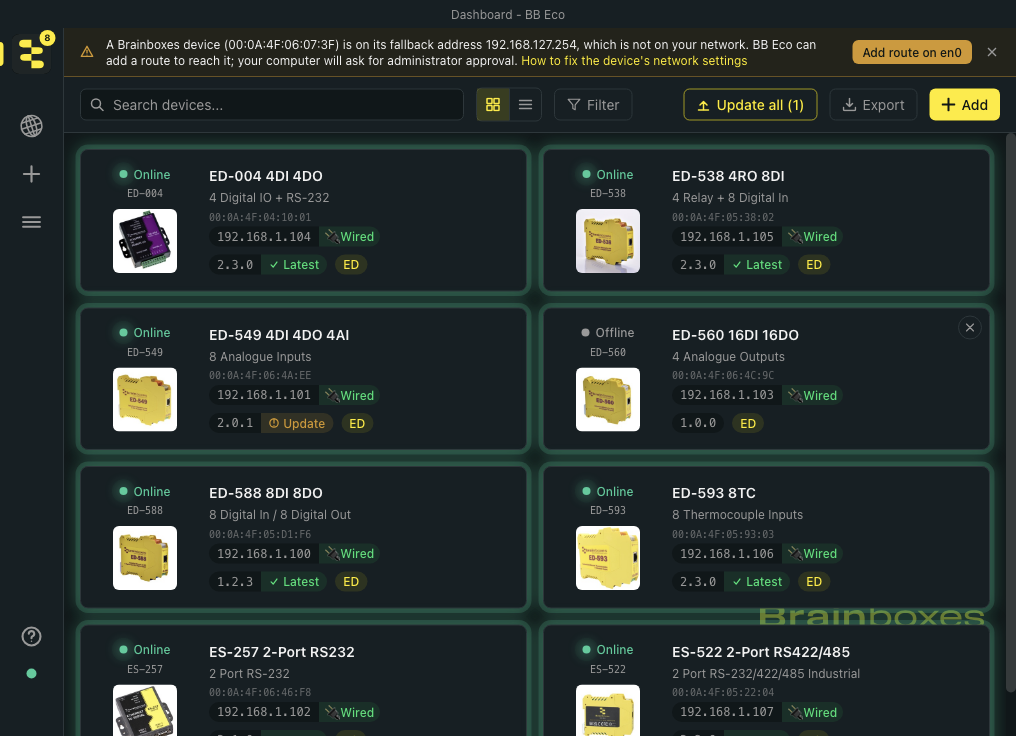
Device Discovery
- Brainboxes devices appear by themselves
- ED, ES, BB-400 and managed switches
- Group by location, family or status
- Search and filter the dashboard
- Locate flashes the device's LED: which box is it?
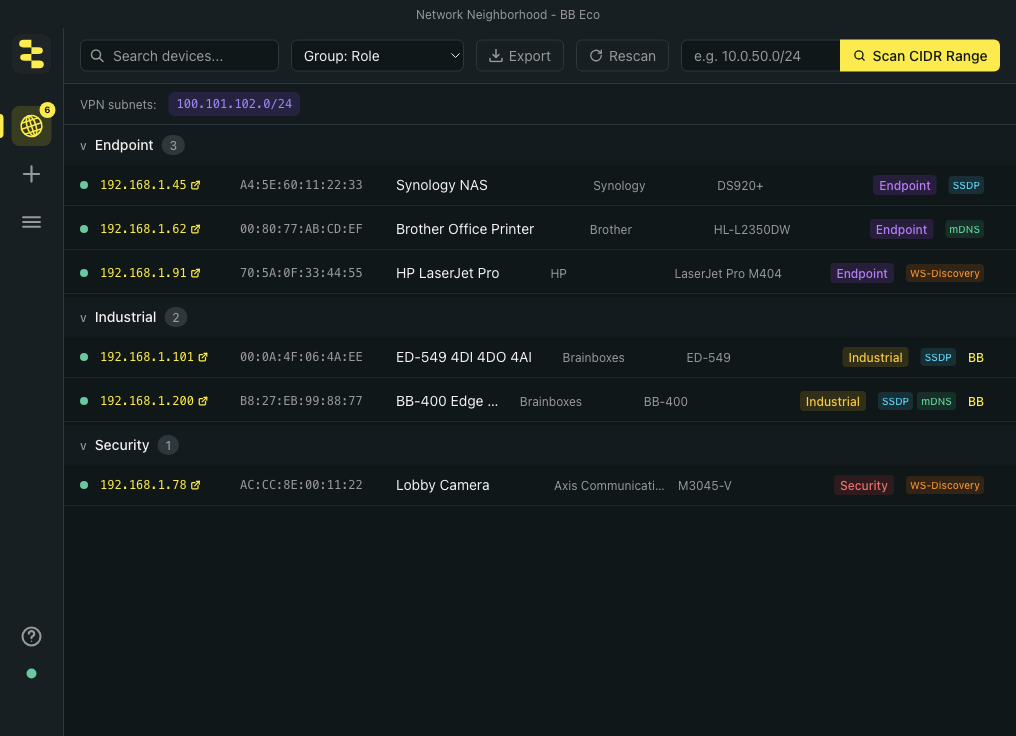
Discover Other Devices Too

- A general-purpose discovery tool for automation engineers
- mDNS
- SSDP / UPnP
- WS-Discovery
- Grouped by role: industrial, endpoint, security…
Across VPNs and Subnets
- Discovery works:
- Over VPNs – remote sites
- Across different subnets
- Using a CIDR scan
- Type a range, e.g. 10.40.8.0/22
- Remembers devices for the next session
Reach the Hard-to-Reach Devices

- A device with no DHCP server falls back to 192.168.127.254
- BB Eco spots it and adds the network route in one click
- Add by IP when discovery cannot see a device
- Devices on routed networks are updated too
Firmware Upgrade
- 1-click firmware upgrades
- No manual downloading of firmware from the Brainboxes website
- Release notes shown before you update
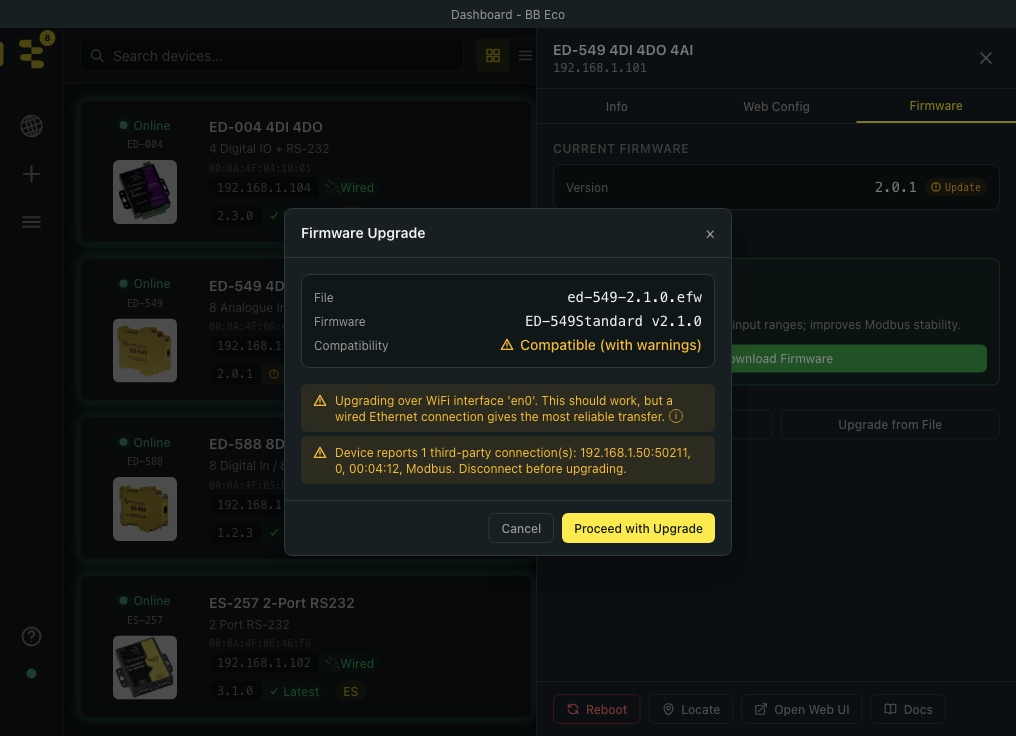
- Pre-flight checks before a single byte is sent
- Live progress, stage by stage
Firmware Upgrade – Safe and Offline

- Works offline
- Firmware downloaded automatically when online, and cached
- Pre-flight warnings before upgrading:
- Over Wi-Fi
- While another program is connected to the device
- Every firmware file is checked against its published fingerprint just before it is sent
Update All
- Every out-of-date ED and ES device in one batch
- One device at a time, while you keep working
- Devices in use are skipped, not interrupted
- A report says what happened to each device, and why
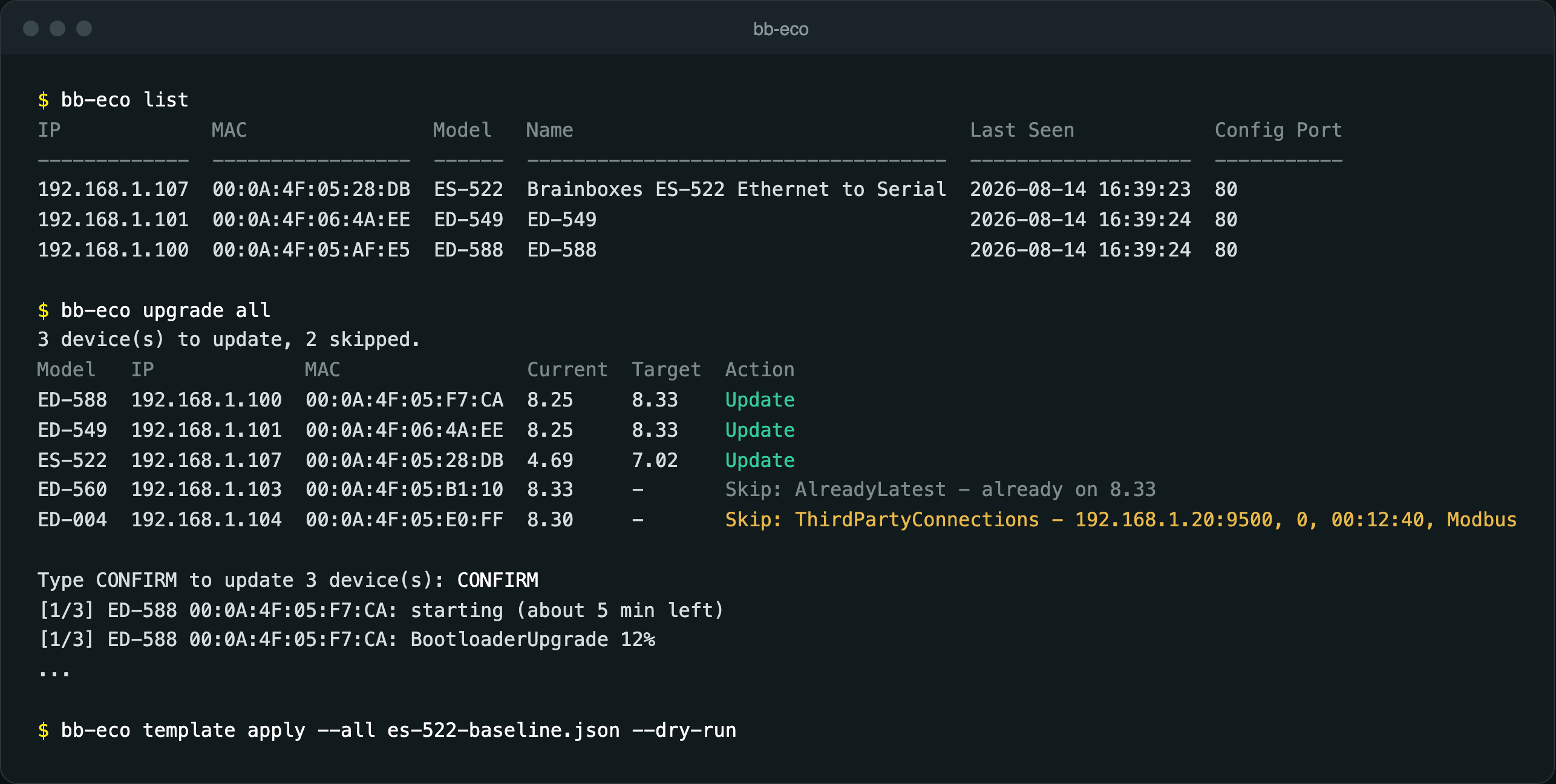
- Command line: bb-eco upgrade all
Automatic Firmware Updates
- Optional: switch it on once in Settings
- BB Eco updates ED and ES devices as soon as it sees them on older firmware
- Devices in use are left until later
- Never applies an update that would reset settings to factory
- A notice says when it is done
Stuck-Device Recovery
- Upgrade interrupted? The device waits in its bootloader
- BB Eco hears it asking for firmware and marks it Stuck
- One click sends the firmware again, over the network
- ED and ES devices
- Back in service on site
Templates – Config as Code
- Save a device's configuration as a template file
- Settings grouped like the device's own web page
- Preview every change before it is written
- Only the settings in the template are changed
- A template is cached automatically for every device
Templates – Apply to Many Devices
- Tick the devices on the dashboard
- Apply template… previews what would change on each one
- Apply writes it to every device that passed the preview
- Each device's new settings become its baseline
- How-to guide
Drift Detection
- If settings change, BB Eco detects it automatically and reports it to the user
- Old value, arrow, new value – right in the device panel
- Put it back with one template apply, or accept it as the new baseline
Command Line

- All the functions of the app are available in the command line
- Script whole-site upgrades and template applies
- Table, JSON and CSV output for automation
Browse the Brainboxes Range
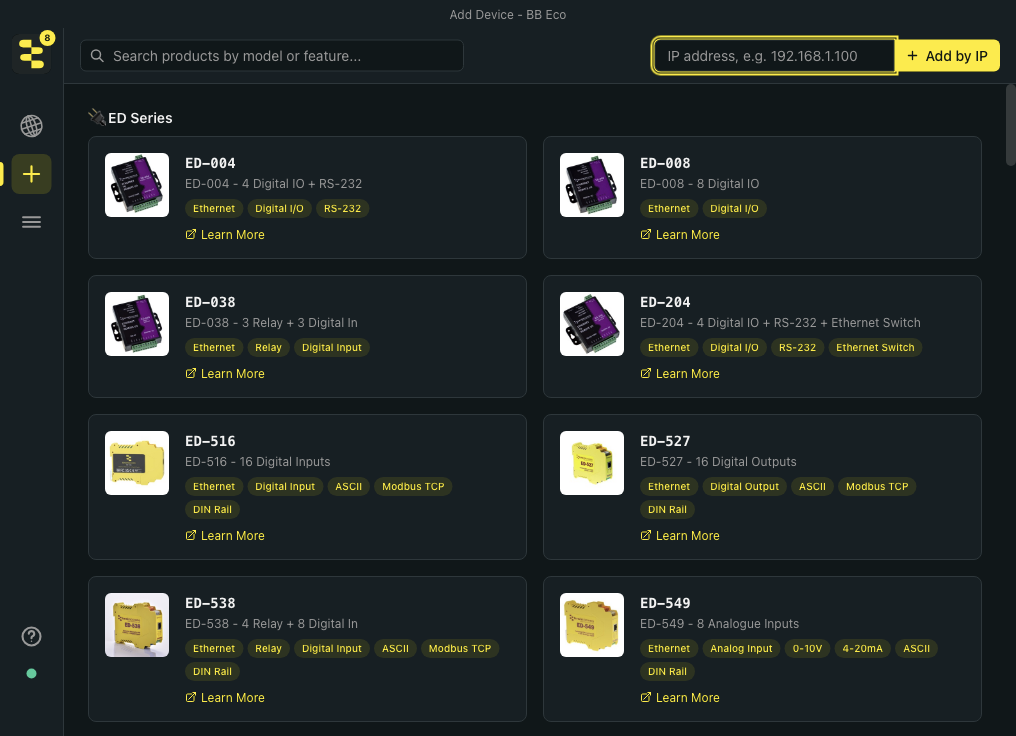
- Browse the Brainboxes product catalogue from within BB Eco
- Search by model, name or feature, e.g. "RS-485"
- Includes the unmanaged switch range
- Learn More opens the product page
Support Built In
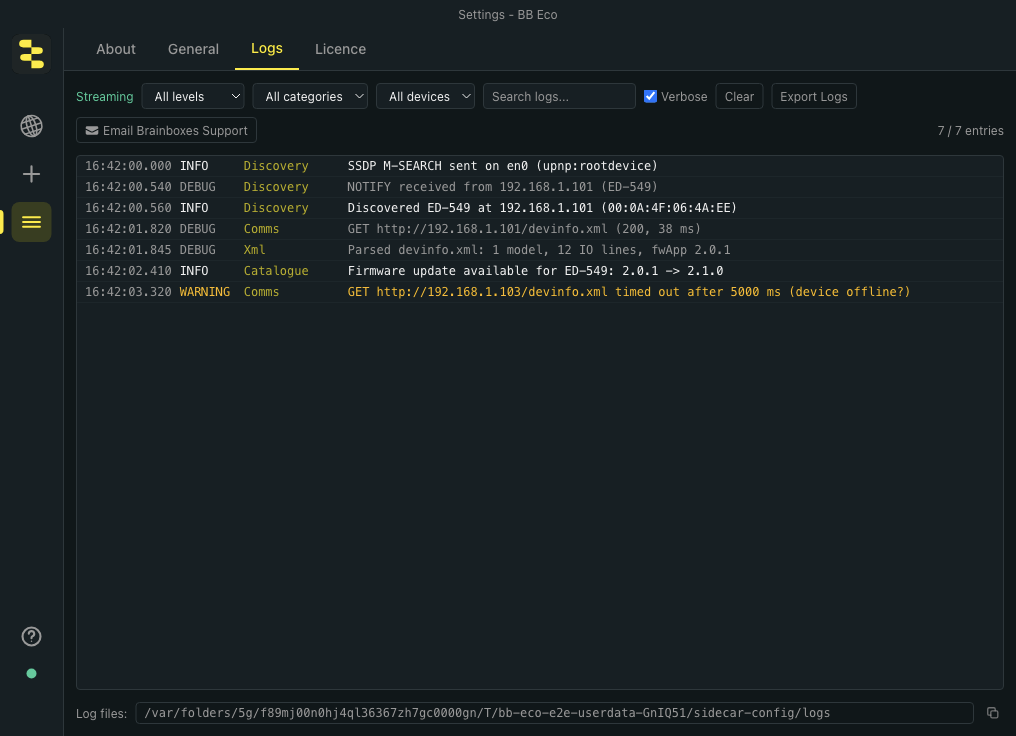
- Live logs of every conversation with every device
- Email Brainboxes Support: logs attached, email pre-filled
- After a failed update: one click to email support, logs included
- Help menu: documentation, release notes, welcome tour
Security and Transparency
| Cyber Resilience Act theme | What BB Eco does |
|---|---|
| Know what is inside | CycloneDX SBOM published with every release; Export SBOM in the app |
| Security updates | Free: the app updates itself; Update all keeps device firmware current |
| Integrity | Signed installer; firmware checked against its published SHA-256 before sending |
| Secure by default | No administrator rights; firewall rule limited to BB Eco's own program |
| Record relevant activity | Logs of every device conversation, easy to view, filter and export |
| Minimal data, easy removal | No account or cloud; passwords never saved in templates; Reset App Data |
| Vulnerability reporting | [email protected], and a published CRA statement |
Public SBOM and Visible Logging

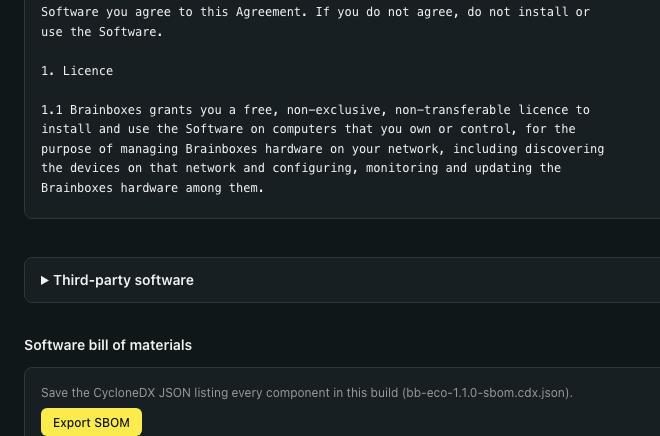
- BB Eco publishes its software bill of materials
- CycloneDX format, published with every release
- Export SBOM in Settings › Licence: the exact build you run
- Every third-party licence listed in the app
- Logs you can see
- Settings › Logs: live, filterable, exportable
- Plain-text files, one per day, timestamped in UTC
What BB Eco Replaces
| Task | Before | With BB Eco |
|---|---|---|
| Find devices | Boost.IO (ED), Boost.LAN (ES), Windows only | Automatic discovery, plus VPN and subnet scans |
| Configure a device | Its web page, one device at a time | The web page inside BB Eco, plus reusable templates |
| Upgrade firmware | Download the file, then Boost.IO or Boost.LAN | One click, with pre-flight safety checks |
| Many devices at once | One device at a time | Update all for firmware, Apply template for settings |
| Interrupted upgrade | A support case | Detected and recovered over the network |
Find Out More
- Landing page: www.brainboxes.com/bb-eco
- Download and get started: Install BB-Eco
- What's new: release notes
- Moving from Boost.IO or Boost.LAN: migration guide
- Security: CRA statement