How to communicate using ASCII TCP between the BB-400 and a Linux or Windows system
This FAQ explains how to communicate using ASCII TCP between the BB-400 and a Windows system using TeraTerm or a Linux system using Telnet.
ASCII TCP
The ASCII protocol is a query-response/question-answer communication protocol in which a host PC uses ASCII characters to send commands to a device, and receive responses back from the device. The ASCII command set is used to configure devices, send data to devices and to read data and status information back from devices.
The BB-400 IO can be controlled over TCP/IP using simple ASCII commands. The default port number of the ASCII TCP server on the BB-400 is 9500.
For further information, the Brainboxes ASCII protocols page (FAQ ASCII protocol and commands) provides more detail regarding the various ASCII commands available.
With Windows using TeraTerm
TeraTerm is a Windows terminal program used to communicate with devices on the network. TeraTerm is available for download here: http://en.sourceforge.jp/projects/ttssh2/releases/.
Note: Brainboxes does not support using PuTTY as it may produce inconsistent results.
Connecting to the BB-400
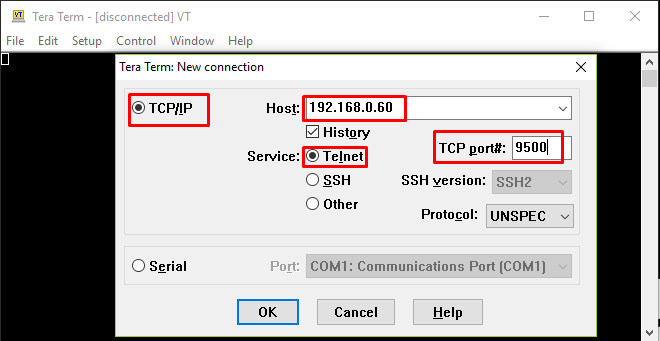
The new connection pop-up window should open up when TeraTerm is started, however, if this window does not open up, it can be found by going to File > New connection.
Please make the following changes:
- Select TCP/IP as the protocol.
- Host should be the IP address of the device to be accessed.
- Select Telnet as the service.
- Enter the port number of the ASCII TCP server (the default is 9500).
Click on OK to connect:
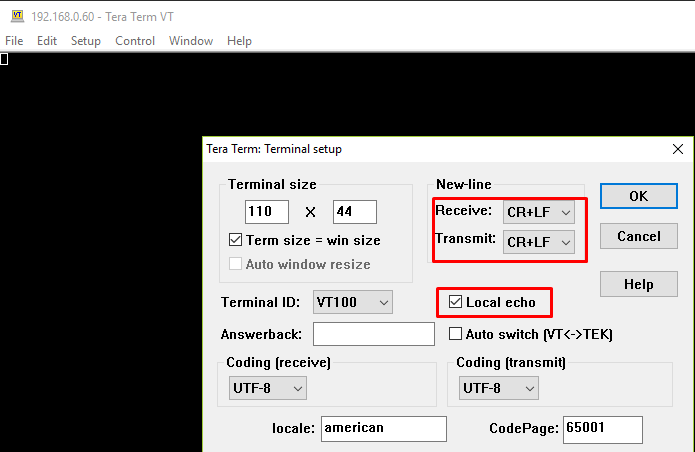
To make the output readable, go to Setup > Terminal and change New-line Settings to CR+LF in both Receive and Transmit. Also, make sure the Local echo box is ticked, so that the typed-in commands are displayed in the terminal:
Start typing the commands in the terminal and hit Enter to get a response from the ASCII TCP server:

With Linux using Telnet
To install Telnet on the Linux system, use the following command:
sudo apt-get install telnet
Syntax
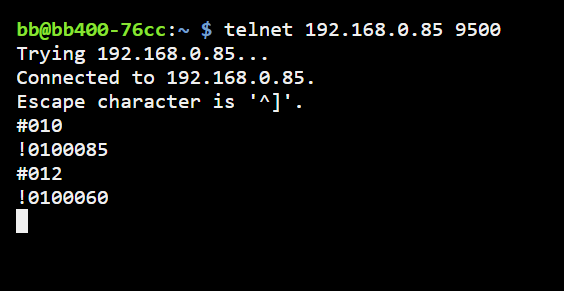
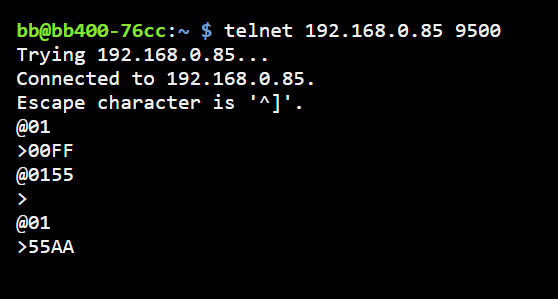
Connect to the TCP server on the BB-400:
telnet <server-ip-address> <port-number>
The ASCII commands can then be used:

To exit the Telnet terminal press Ctrl+] and type quit.
The following examples show ASCII commands that can be used to retrieve and modify information regarding the BB-400 IO status.
Example 1: Reading the digital I/O status
ASCII command: @01
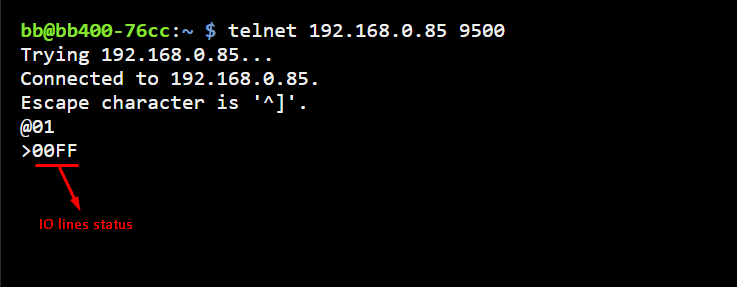
Example 2: Setting specified digital outputs. ASCII command: @01(data)
Example 3: Getting the count of an input ASCII command: #01(line-number)