
ES Light-Industrial Hardware Features
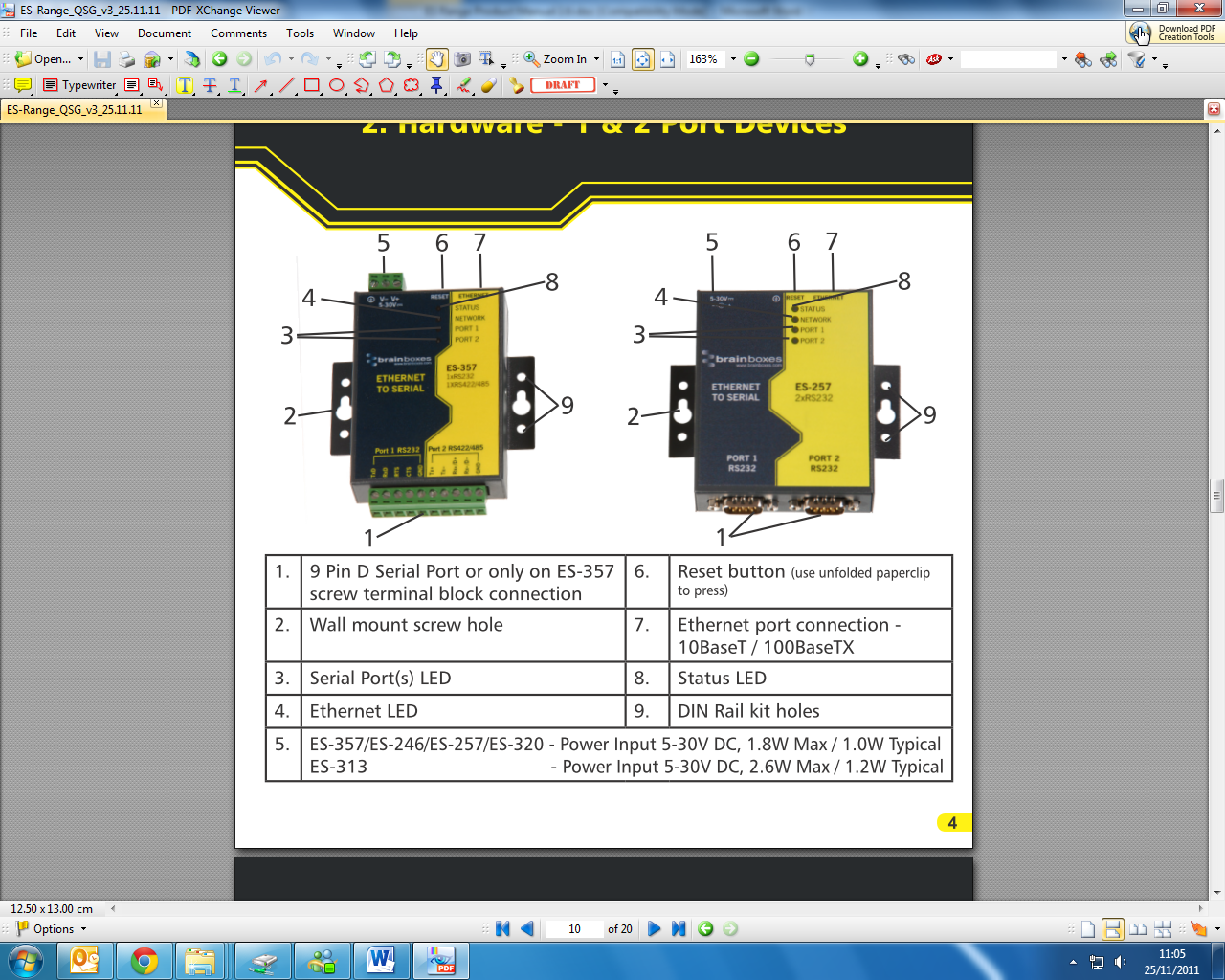
ES Hardware - 1 & 2 Port Devices
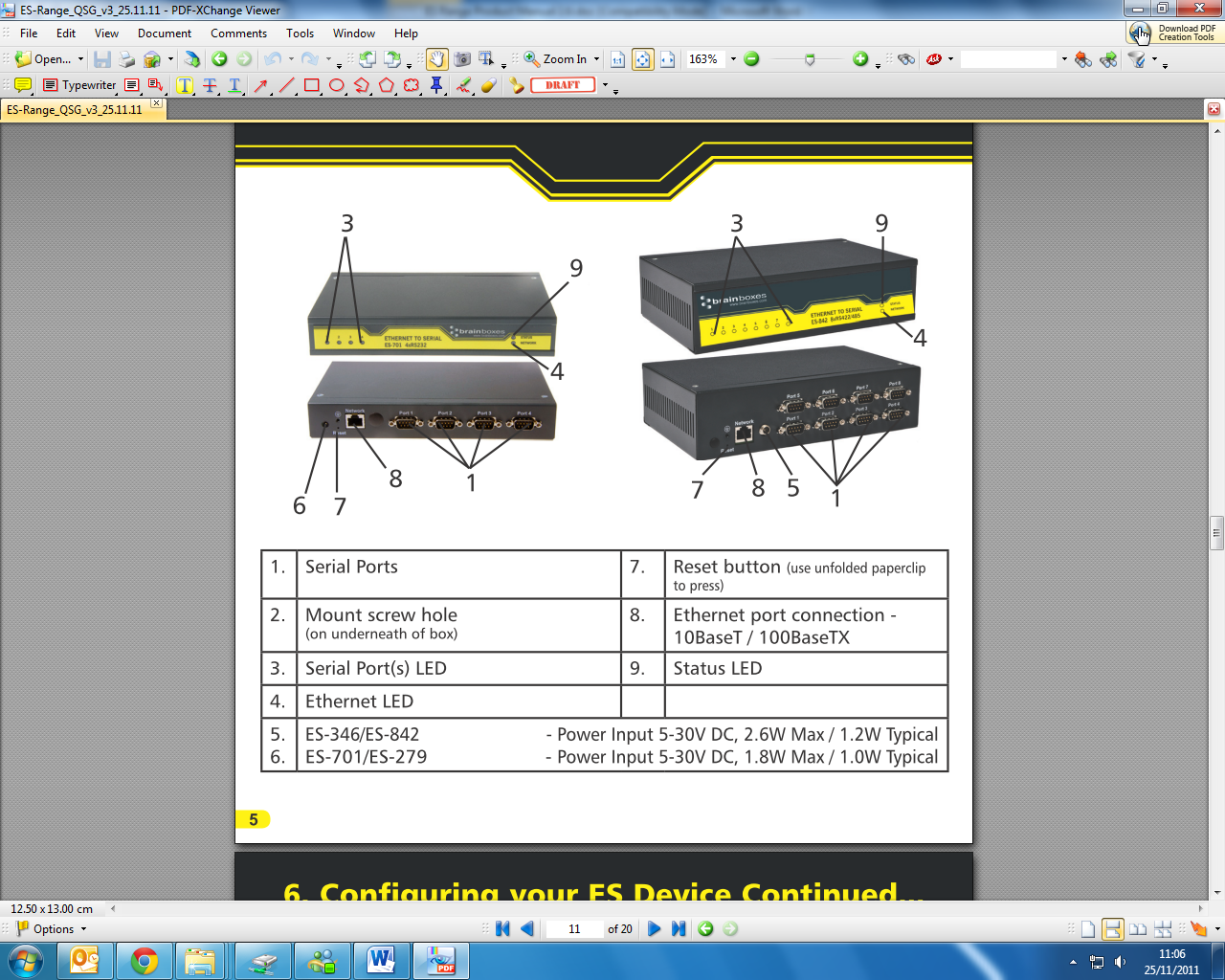
ES Hardware - 4 & 8 Port Devices
Network IP Addressing
The ES device is shipped in DHCP Mode.
-
On connecting to the network, the device automatically checks if it is connected to a DHCP Server. If this is the case, the DHCP server will allocate an IP address automatically to the ES device.
-
If no DHCP Server is detected (e.g. you have the ES device plugged directly into the PC), the ES device will default to an IP address of 192.168.127.254 within 60 seconds. Please ensure the PC you're using for configuration can communicate with the 192.168.127.xxx IP range by setting the Ethernet port the ES device is plugged into, to an IP address in the same subnet.
-
If you are using the default IP address with no DHCP server, you can change to a static IP address to avoid having to wait 60 seconds for the default address of 192.168.127.254
Default Settings
| Network Setting | Value |
|---|---|
| Device Network Address | DHCP Mode |
| Web Server Port | 80 |
| Port Settings | RS-232 Port | RS-422/485 Port |
|---|---|---|
| Baudrate | 115200 | 115200 |
| Databits | 8 | 8 |
| Stop bits | N | N |
| Parity | 1 | 1 |
| Flow Control | None | None |
| Duplex mode | Full Duplex | Full Duplex |
| Protocol Settings | Telnet + COM port control Mode (Server) | Telnet + COM port control Mode (Server) |