How do I implement PWM on BB-400 using Node-RED and Firmata?
What is PWM?
PWM (Pulse Width Modulation) is a way to control analog devices using digital output. PWM “fakes” an analog-like result by applying power in pulses, or short bursts of the regulated voltage:
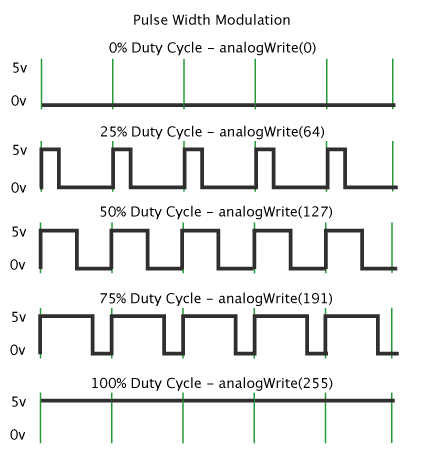
For more info read Arduino's explanation of PWM
What is Firmata?
Firmata is a generic protocol for communicating with microcontrollers from software on a host computer. It is intended to work with any host computer software package. There are implementations for multiple microcontrollers and host software packages.
Program Arduino with the StandardFirmata Sketch
On the Arduino IDE, open the sketch using File > Examples > Firmata > StandardFirmata:
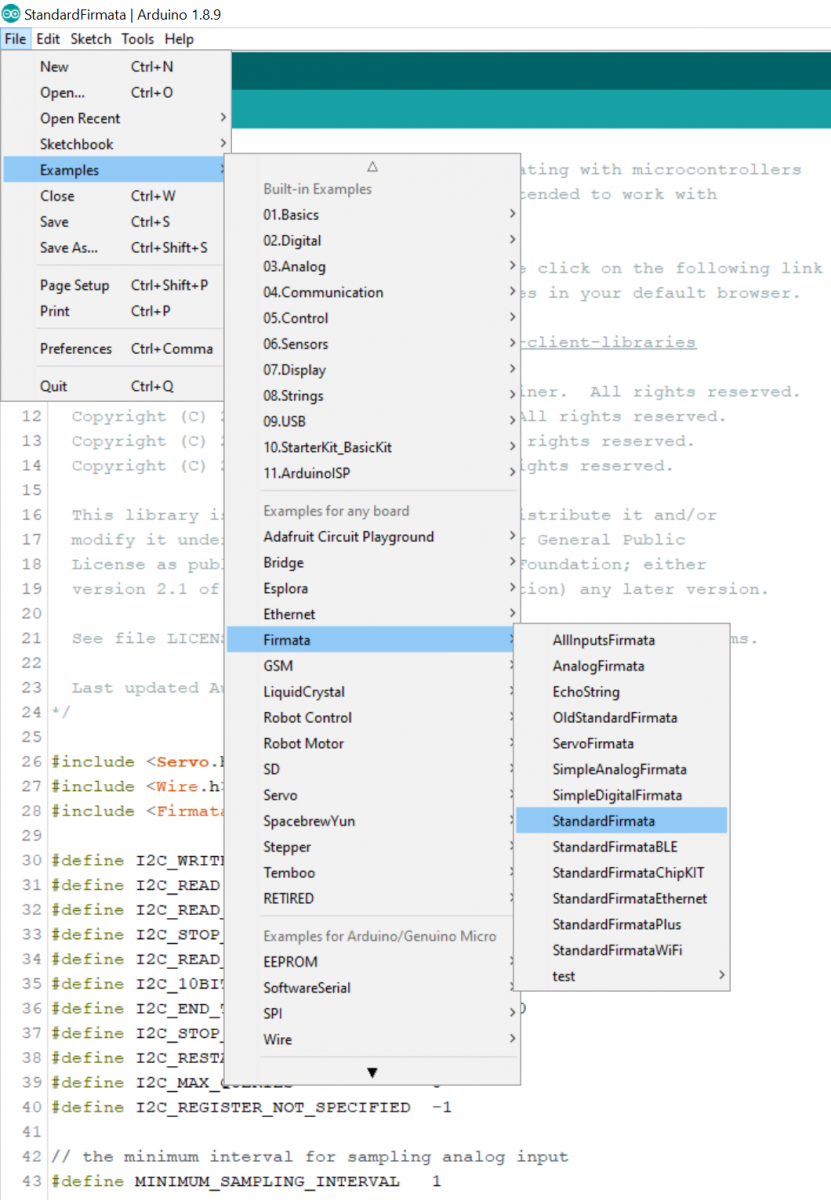
- Follow the FAQ (How do I reprogram the Arduino on the BB-400?) to reprogram the Arduino using the StandardFirmata sketch.
- Since we are going to use Node-RED to communicate with the Arduino, you will need to uninstall the BB-IO-Server package. The command to uninstall the BB-IO-Server is:
$ sudo apt-get remove -y bb-io-server
Install Firmata on Node-RED
On Node-RED go to Manage Palette and install the Firmata package:
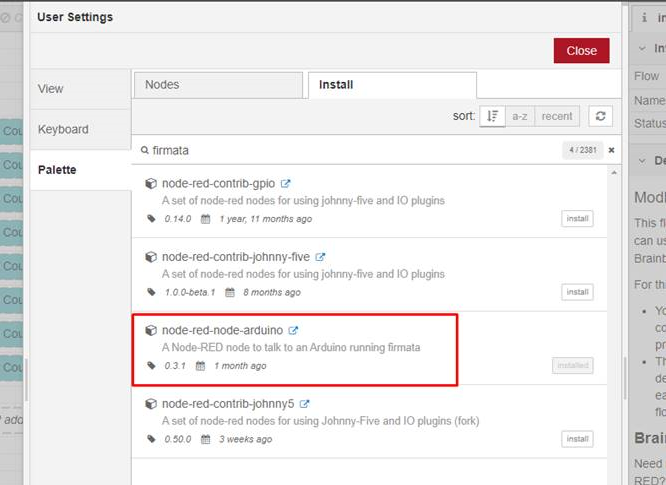
You will get these nodes:

Create Node-RED flow to perform PWM on DIO4 LED
Arduino output node settings:
Serial port address: /dev/serial/by-id/usb-Arduino_LLC_Arduino_Micro-if00
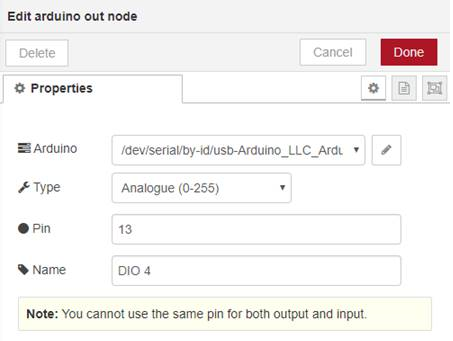
Slider node settings:
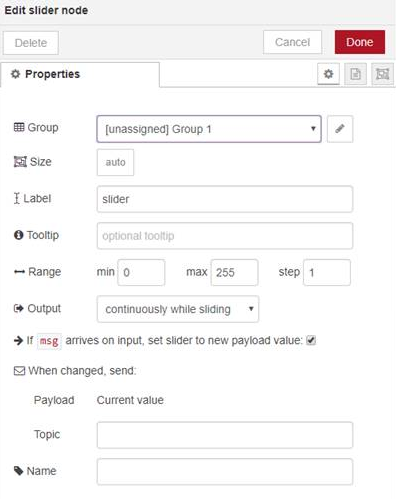
Connect slider output to the Arduino output node:

Deploy the flow. Wait for a few seconds for the Arduino node to connect to the pins on the Arduino.
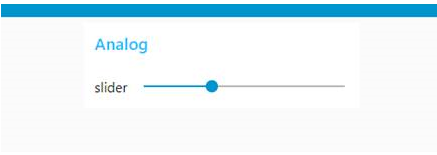
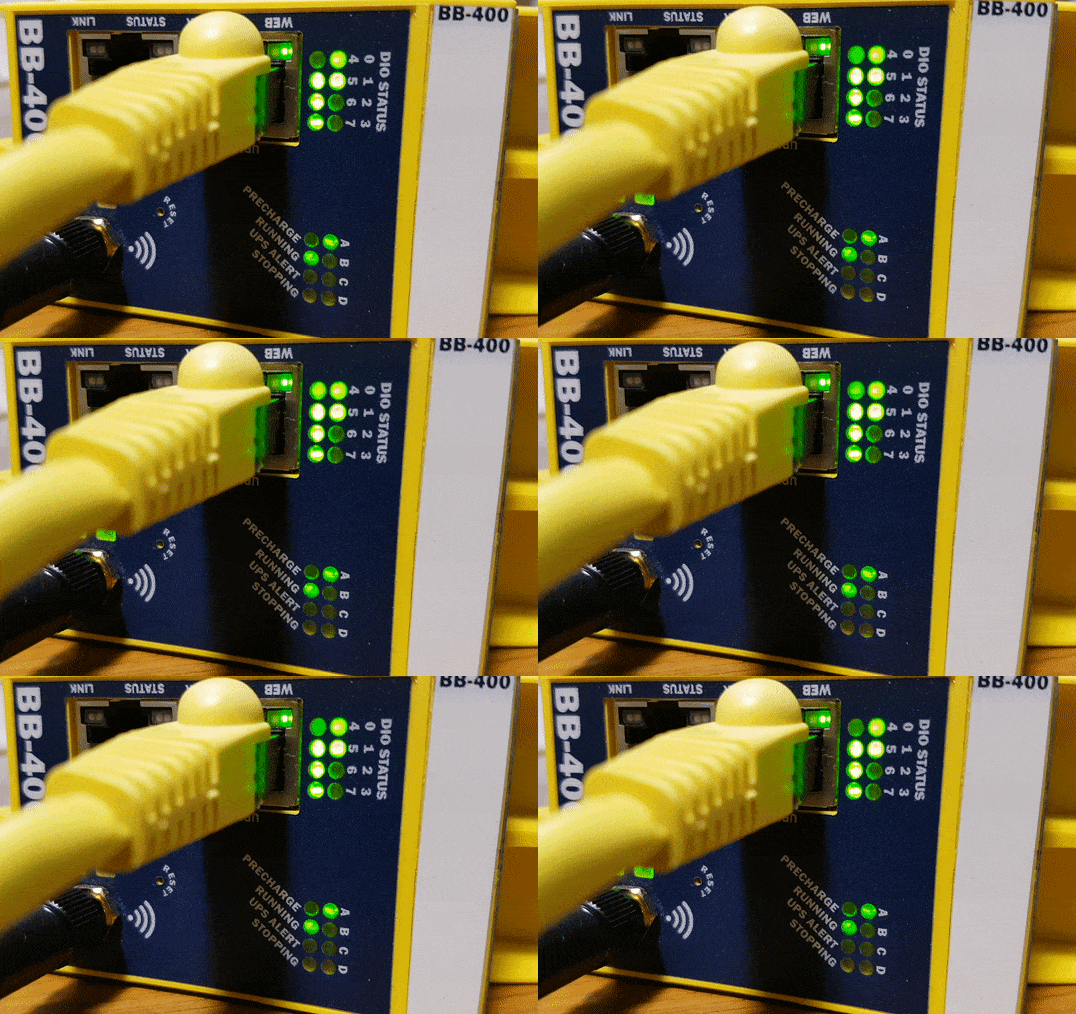
Use the slider to dim/brighten the DIO4 LED: