
US Uninstallation
You can uninstall the Brainboxes Boost.Software drivers at any time, with or without the Card inserted into the Laptop. The un-installation steps below are applicable to all cards in the US range.
Uninstalling in Windows XP
-
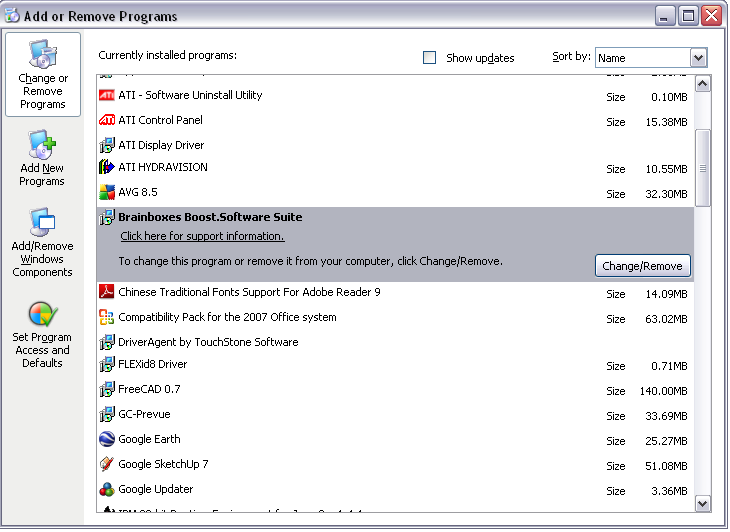
Open Control Panel, and then open "Add or Remove Programs"
-
Click on the "Brainboxes Boost.Software Device Driver Suite" and then click Change/Remove
-
The Brainboxes Boost.Software installer will launch. Please see Brainboxes Boost.Software Uninstaller
Uninstalling in Windows Vista / Windows 7
-
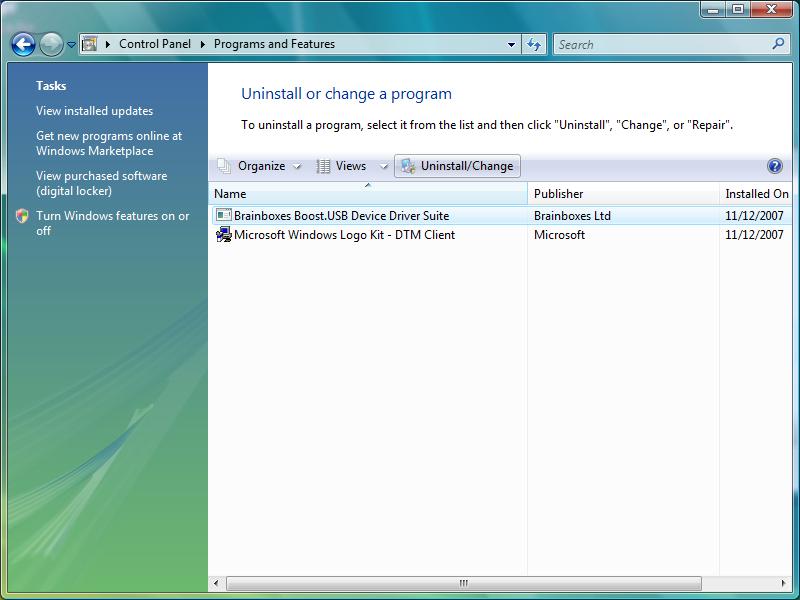
Open Control Panel, and then open "Programs and Features"
-
Click on the "Brainboxes Boost Software.Suite" and then click Uninstall/Change
-
The Brainboxes Boost.USB installer will launch. Please see Brainboxes Boost.Software Uninstaller
Boost.Software Uninstaller
The Brainboxes Uninstallation wizard will launch which will remove all driver files and associated registry entries. Just click Next on each page of the Wizard. When the drivers have been uninstalled, click Finish.
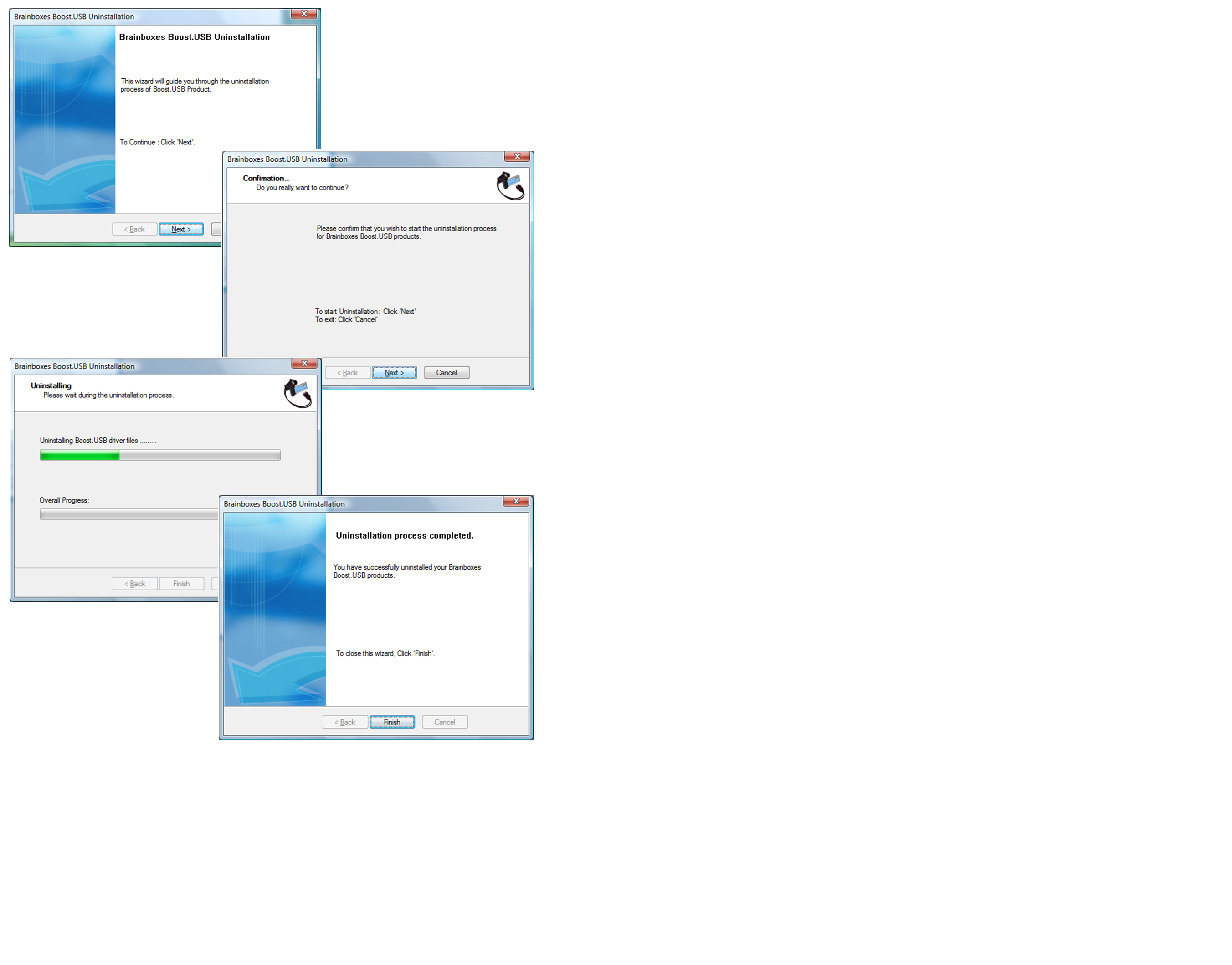
When finished, you may unplug your US Card. To reinstall, simply plug in the card again and follow the installation instructions as in Installation Overview.