
Finding Your Brainboxes COM Port
Locating the COM Port in Device Manager
-
Open Device Manager (Found by Right Clicking on My Computer and clicking Manage. Then Select Device Manager from the left hand pane.)
For Server 2008 UsersDevice Manager is found within Diagnostics in Server Manager.
-
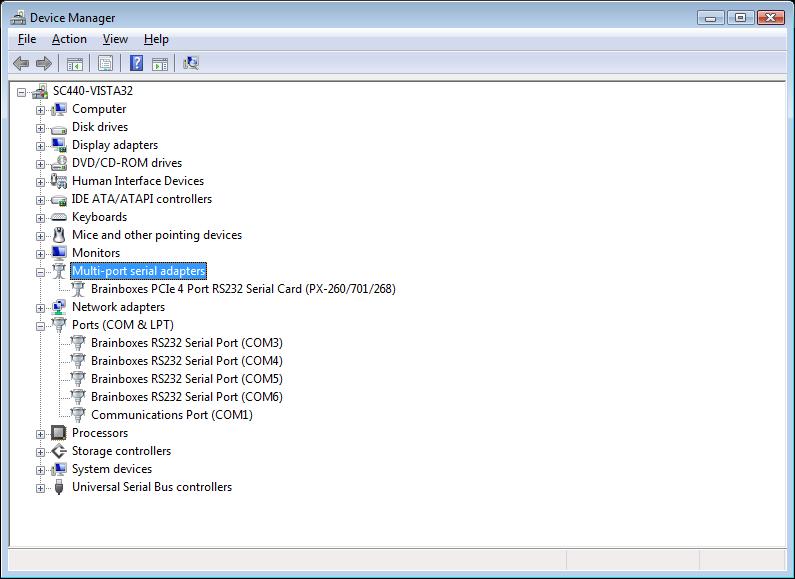
Find the Brainboxes Serial Port entry in Device Manager. (Found under the "Ports" section)
-
The Brainboxes Serial Port entry displays the current COM number in brackets after the name. (This is usually COM3 following install, but may be different if other serial devices have been installed in the past)
note
To change your COM label, see Changing your COM label.