How do I set up IO Tunnelling?
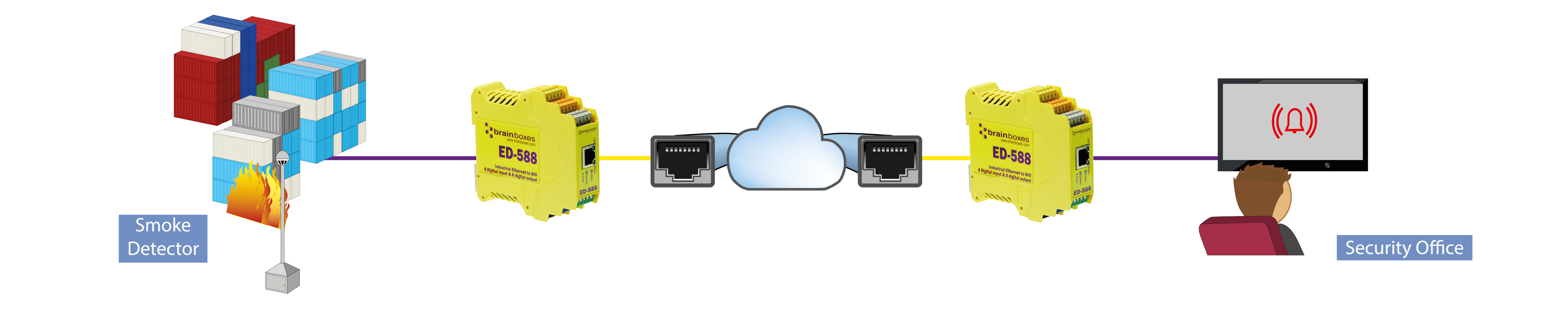
Brainboxes Ethernet to DIO Devices have a feature called I/O tunnelling. I/O tunnelling connects two devices together to create an I/O tunnel which extends the Digital IO link over an Ethernet connection. When the Digital I/O data is sent, it is converted to Ethernet packets by one Ethernet to DIO device, and then transmitted over the network, then unpacked and converted back to I/O data by the other Ethernet to DIO device.
IO Tunnelling is supported on the following products:
An example of tunnelling is shown in the diagram below:
I/O tunnelling is set up using the webpage interface. In the following instructions there are two devices. The local side is the device that you are connecting from, and the remote side is the device you are connecting to. The tunnel is set up on the local device only; while it is connected, the remote device's Protocol page shows it too.
Both devices must use the ASCII protocol, and they find each other by device address. The local device's Remote ASCII Device Address must equal the remote device's own Device Address, and the remote device's Remote ASCII Device Address (1 unless it has been changed) must equal the local device's own Device Address. The simplest set-up leaves both devices at address 1. If the addresses do not match, the tunnel connects but never completes, and the status stays at Negotiate IO tunneling settings....
- Go to the web page interface of the Local ED Device using a web browser
- Navigate to the Protocol page of the ED device
- At the bottom of this web page is the I/O tunnelling section
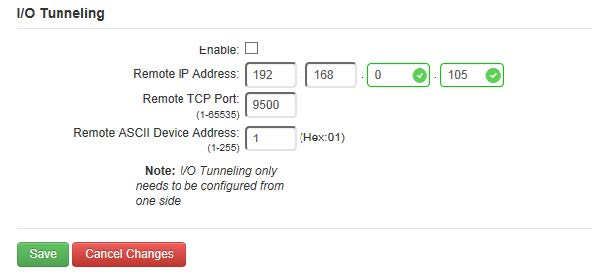
- To connect tunnelling, tick the enable box, enter the Remote IP Address and Remote TCP Port number of the Remote ED device you want to connect to, check the Remote ASCII Device Address as described above and click 'Save':
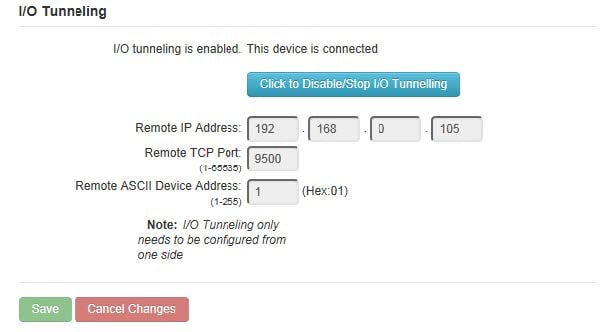
- When the I/O tunnelling is established, you will see the confirmation of the connection:
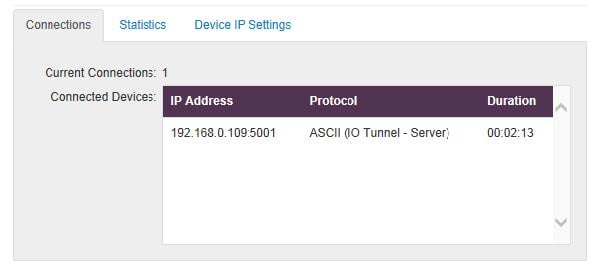
- You will also be able to see the following in the device Web configuration home page:
- You can disable/enable the I/O Tunnelling from either the local device side or the remote device side in the Protocol page by clicking the blue button.
I/O tunnelling in BB-Eco
BB-Eco shows the tunnel settings and the same connection status on the device's Info tab, under IO Protocol. Configuration templates carry the settings as io.protocol.ascii.tunneling, so a working set-up can be saved and applied to a replacement device.
